Vlad and Niki: Kids Piano
- 4.7
- Rating
- 5.00M
- Installs
- Free
- Price
 Analysis by App-foxy
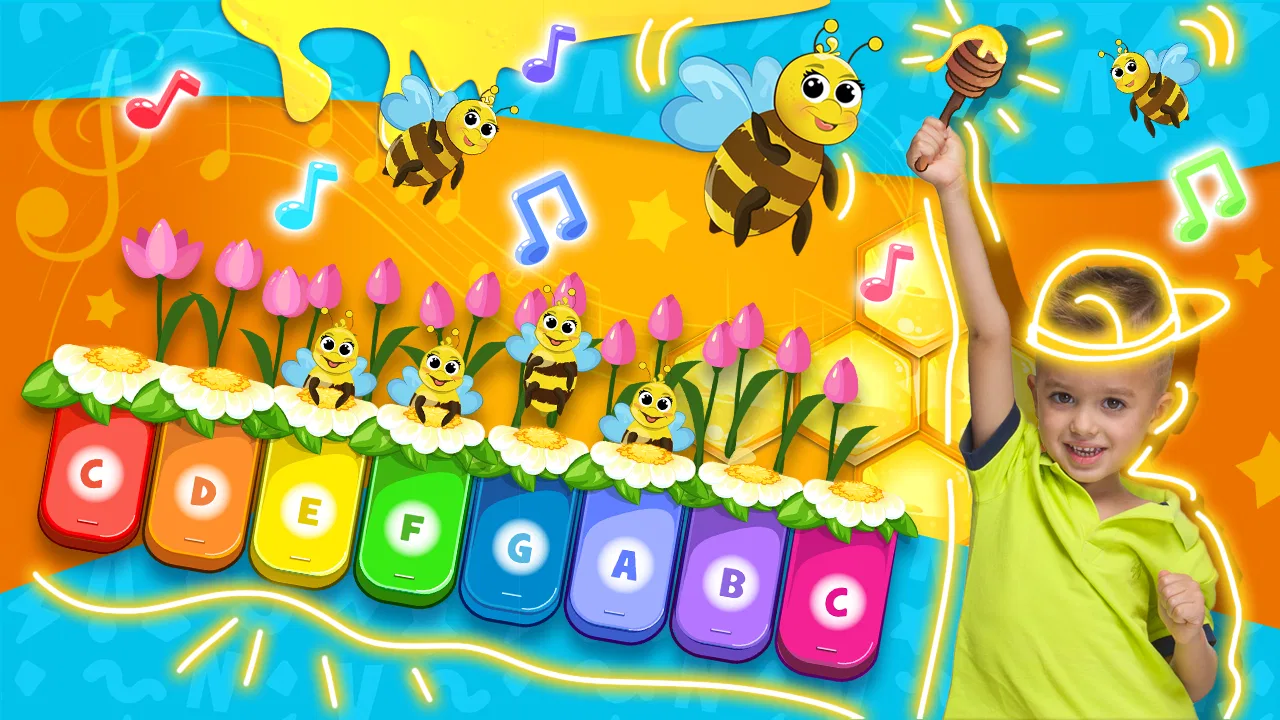
I found Vlad and Niki: Kids Piano most appealing as a gentle first step into musical play rather than as a serious piano-learning course. It is a free music game from Hippo Kids Games, built around a piano simulator for children and presented for Everyone. After spending time with it, my impression is that its best quality is how quickly it lets a child make something happen: tap a key, hear a note, and immediately feel involved.
That instant response matters with young players. A child does not need to understand scales, notation, or a complicated menu before getting started. The familiar Vlad and Niki theme gives the experience a recognizable character, while the piano focus keeps the central activity easy to understand. I would recommend it to parents looking for a short, low-pressure activity that introduces musical sounds through play. I would not present it as a replacement for lessons, a full keyboard app, or a game designed around deep challenge.
How the first few minutes create a clear goal
The early goal is wonderfully simple: explore the piano and discover what happens when different keys are touched. That may sound modest, but it is exactly the right starting point for a very young player. Instead of asking a child to memorize instructions, the game encourages experimentation. The first success is not winning a level; it is producing a sound and realizing that the screen responds.
You May Also Like

 Blood Strike: 2.5 Anniversary
Blood Strike’s Loadouts Turn Every Drop Into a Tactical Gamble
A close look at Blood Strike’s custom loadouts: how fast access to signature weapons reshapes its battle royale rhythm, rewards preparation, and narrows the gap between fights.

 Pandora - Music & Podcasts
Pandora’s Music Is Easy to Start, but Harder to Recover
Pandora’s strength is its low-effort path from a seed to a station. Its weak spot is how much confidence it asks you to place in connection, setup, and quiet recovery.

 8 Ball Pool
 Is Built on Rivalries, Rematches, and Routine
A close look at the rivalries, rematches, shared routines, and unanswered safety questions that turn a quick pool match into a persistent mobile community.

 Samsung Music
’s Quiet Strength Is Playing What You Already Own
Its reach comes less from spectacle than from dependable access to a personal library. That simplicity is both the app’s strongest retention engine and its ceiling.

 AccuWeather: Weather Radar
AccuWeather Review: A Quick, Clear Forecast for Everyday Decisions
For everyday plans, the best forecast is the one you can understand quickly. AccuWeather makes rain timing, radar, and local conditions easy to act on, with a few trade-offs.

 Hill Climb Racing
Why Hill Climb Racing Still Turns Crashes Into One More Run
A tiny car, a bumpy hill and one more upgrade: Hill Climb Racing keeps resurfacing because its simple chaos makes every near-miss feel personal.
More From Our News Desk



In my experience, this kind of beginning works especially well for children who lose interest when an educational app feels like homework. The piano simulator gives them a direct reason to continue because every tap produces an audible result. A parent can sit beside the child and turn the first session into a small conversation about high and low sounds, repeating notes, or making up a tiny rhythm.
The Vlad and Niki presentation also helps the game feel less like an anonymous instrument. For children already familiar with the characters, that context can make the activity more inviting. For children who do not know them, the piano remains understandable on its own. The character branding is a doorway, not something a child must study before playing.
One useful way to approach the opening is to avoid taking over the screen. I would let the child try several taps first, then copy a very short pattern for them to repeat. This turns free exploration into a small goal without making the activity feel like a test. The game is at its strongest when an adult adds the structure verbally while the child remains in control of the instrument.
Why the simple interaction works for short sessions
This is a good fit for everyday moments when a child needs an activity that can begin immediately. I can imagine using it while waiting at a restaurant, during a quiet period at home, or as a brief change of pace after drawing. Because the central idea is so direct, a child does not need a long explanation before participating.
The same simplicity creates the first important limitation. Children who already play piano or expect a broad selection of songs may find the experience too basic. A simulator can encourage curiosity, but it does not automatically provide the organized practice that comes from a real keyboard, a structured lesson, or a more advanced music-learning app.
Parents should also think about the kind of attention they want to encourage. If the goal is creative tapping and sound discovery, the game makes sense. If the goal is quiet play with no audio, it is less suitable, since sound is central to the activity. I would use it with the volume at a comfortable level and treat it as an interactive listening exercise rather than background entertainment.
Progress signals without turning music into a chore
The most noticeable progress signal is the child’s growing confidence with the piano itself. A player begins by touching keys at random, then may start repeating a sound, trying a pattern, or intentionally moving across the keyboard. That is a meaningful form of progress even when the game does not feel like a conventional level-based adventure.
This distinction is important. The experience does not need a complicated reward ladder to show that a child is learning how to interact with it. The feedback is immediate and understandable: the key responds, the sound changes, and the child can compare one tap with another. For preschool-age players, that connection between action and result can be more useful than a crowded screen full of badges or counters.
I found that adults can make the progress more visible by setting tiny challenges. Ask the child to find a particular area of the keyboard, repeat a pattern, or create a sound sequence for a parent to copy. These activities use the simulator as a shared instrument. They also reveal whether the child is genuinely exploring or simply tapping quickly for noise.
The strongest progression here is self-directed musical confidence, not a formal course of piano skills. That makes the game approachable, but it also means parents should set realistic expectations. A child may become more comfortable with rhythm, listening, and cause-and-effect, yet still need a teacher or another educational tool for posture, reading music, finger technique, and consistent practice.
What unlocks and rewards can realistically do
When I judge a children’s game, I look at whether its rewards support the main activity or distract from it. In this case, the piano is the reason to stay, so the experience benefits from keeping the interaction understandable. A child should know what they are doing without needing to chase complicated objectives.
That approach is helpful for very young players because they can return after a break and remember the basic idea. It also makes the game suitable for siblings at different stages: one child can explore freely while another tries to repeat a pattern. The trade-off is that a child who wants clearly defined unlocks, escalating goals, or a strong sense of completion may not find enough forward momentum here.
For that reason, I would use outside goals rather than expecting the game alone to provide a complete progression path. A parent might choose a sound pattern for the day, invite the child to perform it twice, and then finish with free play. This creates a beginning, middle, and end without pretending that the app is a full curriculum.
The game’s free price makes that kind of trial easy. It can be installed as a low-commitment experiment to see whether a child enjoys digital musical play. There are in-app purchases ranging from $1.99 to $19.99 per item, so I would review purchase settings before handing over the device. The free entry is appealing, but families should still pay attention to how paid items fit into their own rules for child use.
Difficulty, pacing, and the point where interest may fade
The difficulty curve feels intentionally gentle. There is no need to master a demanding control scheme before making progress, and the core action is accessible to children who may not yet read fluently. That makes the game welcoming, but it also means the challenge depends heavily on how the player chooses to engage with the piano.
For a child who enjoys open-ended discovery, the relaxed pacing can be a strength. There is room to repeat a favorite action, listen to different notes, and invent small sequences without pressure. For a child who needs constant goals, the same pacing may feel flat after the novelty of the first session fades.
This is where the game compares differently with usual alternatives. A real toy keyboard offers physical buttons and a more tangible sense of space, but it does not provide the same screen-based character setting. A piano-learning app aimed at older beginners is more likely to organize practice around lessons and accuracy, but it can be intimidating for a small child. A standard music video or passive cartoon may be easier to watch, yet it does not give the child control over the sounds.
The app sits between those choices. It is more interactive than watching, less demanding than a lesson, and more guided by a theme than a plain digital keyboard. That middle position is its main advantage. It is also why I would not choose it for a child who is already asking to learn recognizable songs or who needs measurable musical assignments.
A practical routine for keeping the activity fresh
I would keep sessions short and vary the way the piano is used. On one day, let the child explore freely. On another, take turns copying two or three taps. Later, ask the child to invent a “hello” sound for a family member. These small changes create fresh purposes without requiring features that may not be part of the game.
Another useful habit is to stop while the child is still interested. Because the experience is easy to start, there is no need to stretch one session until tapping becomes restless. Ending after a small success can make returning later feel more inviting than forcing a long play period.
Parents can also use the game to notice what kind of learner their child is. Some children focus on repeating sounds, some enjoy fast movement across the keys, and others prefer performing for an audience. Those differences can guide the next activity. A child fascinated by repetition might enjoy a real keyboard; a child who likes copying may be ready for a simple guided lesson; a child who only wants character interaction may prefer a broader themed game.
The main friction is that the relaxed structure places much of the pacing responsibility on the adult or the child. There is no reason to criticize that design for not being a different type of product, but it does affect value. Families wanting an app that independently holds attention through a carefully rising challenge should look elsewhere.
Retention pressure: what brings a child back?
The return appeal comes from familiarity and immediate access. A child can revisit the piano without relearning complex rules, and the Vlad and Niki theme may encourage repeated sessions for fans of the characters. The low barrier is valuable for younger users, especially when they want to play for only a few minutes.
However, retention based mainly on familiarity has a limit. If a child has already explored every obvious way to tap and listen, the experience may need an adult-led prompt to feel new again. That is not a failure for a small children’s music game, but it is a sign that parents should see it as one activity in a rotation rather than the only source of entertainment.
I also think the absence of pressure is a positive choice for this audience. There is no need for a child to feel punished for stopping, playing slowly, or returning after several days. The game works better as a welcoming instrument than as a competition. For families trying to reduce stressful screen habits, that gentle rhythm may be more valuable than aggressive reward loops.
At the same time, the app is not ideal for every screen-time situation. If you need a completely silent activity, a more substantial story, or a game that occupies an older child independently for a long period, this piano simulator is unlikely to meet that need. Its purpose is narrower: musical interaction with a child-friendly presentation.
Device fit, age expectations, and everyday supervision
The game supports Android devices running version 7.0 or later, which makes it usable on many older compatible phones and tablets. The Everyone content rating reflects its child-oriented positioning, but an age label does not remove the need for sensible supervision. I would still introduce it alongside a parent, particularly because the device may contain other apps or purchase options.
The average rating is 4.7 from around 8.6 thousand ratings, and the game has passed five million installs. Those figures suggest that the basic concept has found a sizeable audience, but they should not replace your own judgment about your child’s interests. A popular children’s game can still be the wrong choice for a child who wants structured learning or more varied challenges.
The current version is 1.5.1. When installing it, I would check that the device meets the operating-system requirement and leave enough time for a first supervised session. That initial test is useful because children differ sharply in how they respond to sound-based play: one may become absorbed in patterns, while another may lose interest almost immediately.
One realistic scenario is a parent preparing dinner while a child sits nearby with a tablet. Instead of expecting the game to act as a long babysitter, the parent can give the child one small mission: make a short pattern, remember it, and play it back when dinner is ready. That turns a few minutes of tapping into an activity with a clear purpose and a natural stopping point.
My progression verdict for young music explorers
After looking at its goals, progress signals, difficulty, and return appeal, I see Vlad and Niki: Kids Piano as a friendly introduction to interactive music, not a complete piano-training solution. Its early goal is clear, its controls are approachable, and its gentle pacing suits children who benefit from experimenting without pressure.
I would recommend it to families with a young child who enjoys Vlad and Niki, likes making sounds, or needs a simple activity that can be shared with an adult. It is especially useful as a bridge between passive screen content and more purposeful musical play. The child is not merely watching; they are making choices and hearing the results.
I would skip it, or at least look for a companion app, if your priority is song-based instruction, formal progress tracking, advanced technique, or a steadily rising challenge. Older beginners may quickly outgrow the open-ended piano interaction. A physical keyboard or structured lesson will be a better next step when the child starts asking how to play specific melodies rather than simply wanting to explore sound.
For the right audience, the lack of heavy pressure is not a weakness; it is the point. The game gives children an easy invitation to listen, tap, repeat, and invent. Just keep expectations grounded, supervise purchases, and add your own small goals when the novelty needs a lift. As a free music game for early exploration, it earns a place in a child-friendly app rotation, provided you treat it as a playful starting point rather than the finish line.
FAQs for Vlad and Niki: Kids Piano
01What is Vlad and Niki: Kids Piano?
Vlad and Niki: Kids Piano is a musical app designed for children to explore and enjoy music. Featuring popular YouTube stars Vlad and Niki, the app offers interactive piano games that are both entertaining and educational. It's an excellent way for kids to develop their musical skills and creativity.
02Is Vlad and Niki: Kids Piano suitable for all ages?
Yes, Vlad and Niki: Kids Piano is designed for young children, typically aged 3 to 8 years old. The app offers a user-friendly interface with bright, colorful graphics that appeal to kids, making it easy for them to navigate and enjoy without adult assistance.
03Does the app require an internet connection to function?
Vlad and Niki: Kids Piano can be played offline, allowing children to enjoy the app without needing a constant internet connection. However, an internet connection might be required for any updates or additional downloadable content that enhances the app's features.
04Are there any in-app purchases or ads?
The app may contain in-app purchases that offer additional features or content. It's crucial for parents to manage these settings to prevent unauthorized purchases. Ads might also be present, but they are usually child-friendly and can often be removed with a one-time purchase.
05How does Vlad and Niki: Kids Piano benefit child development?
This app aids in developing children's musical skills, hand-eye coordination, and cognitive abilities. By engaging in musical play, kids can improve their memory and concentration, while also enhancing their creativity and self-expression. It's a fun and educational tool for young minds.
Pros
- Engaging and colorful design for kids.
- Wide variety of musical instruments.
- User-friendly interface for young users.
- Encourages creativity and musical skills.
- No ads interrupting gameplay.
Cons
- Limited songs available for free.
- Requires in-app purchases for full access.
- May not challenge older kids.
- Graphics could be more detailed.
- No offline mode available.

Vlad and Niki: Kids Piano
Gallery